AI Assistants You Can Talk To: The 2026 Guide
Looking for an AI assistant you can actually talk to? Here is how voice-first AI works in 2026 and how to put one in your pocket in a minute.
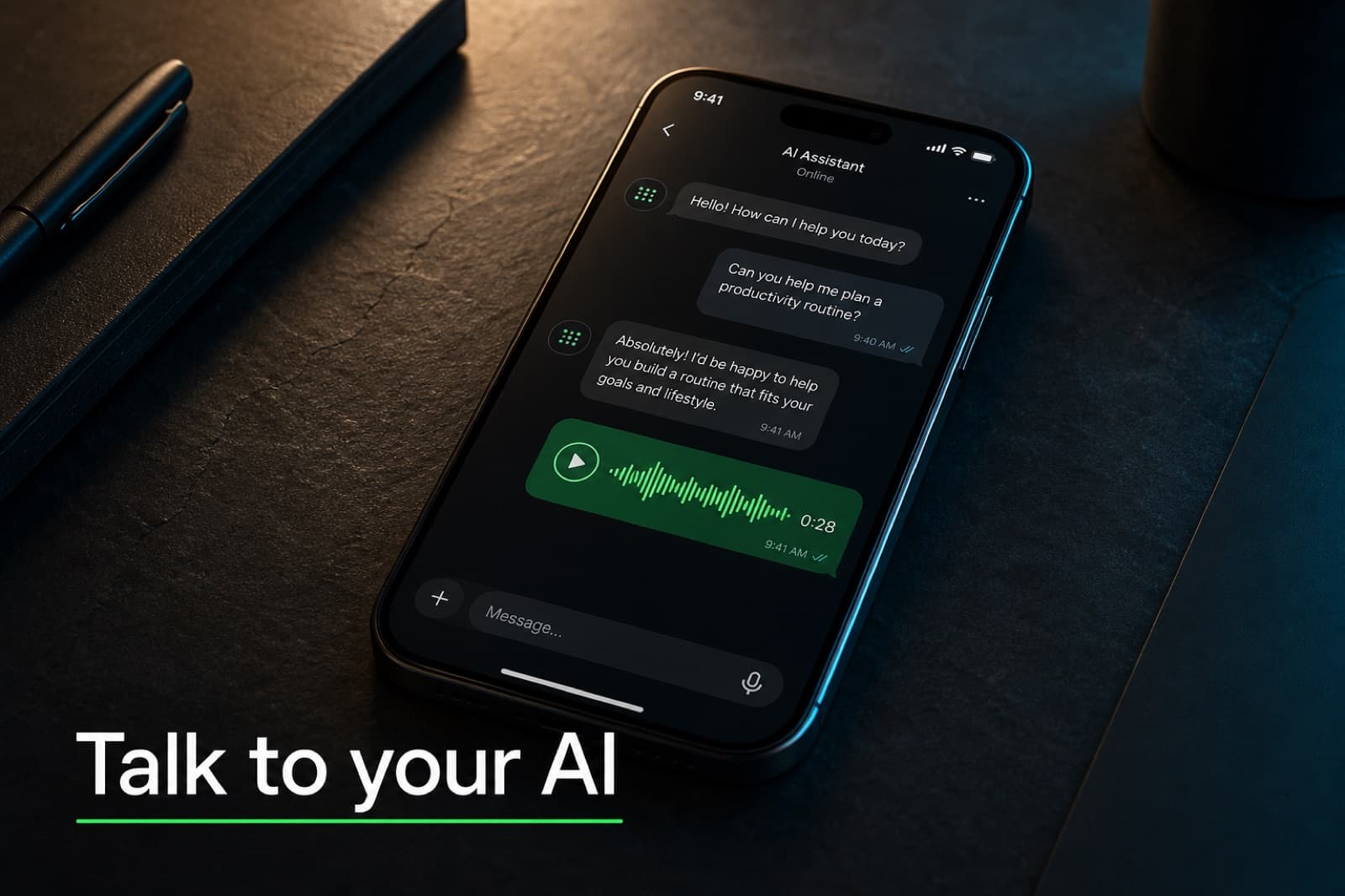
Typing Is the Slowest Way to Use AI
For most people, the first instinct with an AI tool is still the same as it was in 2022: open a chat tab, click in the box, start typing. That works at a desk. It does not work when you are walking the dog, driving to a job site, cooking dinner, or stuck in line at the post office with a thought you want to capture before it disappears.
If you have searched for "ai assistant you can talk to", you are not looking for a smarter chat window. You are looking for something closer to a real assistant: speak, get a useful answer back, move on with your day. The good news in 2026 is that voice-first AI is finally usable. The bad news is that the options are scattered across walled gardens, consumer apps, and developer toolkits, and most of them do not remember what you told them yesterday.
This guide walks through what "talking to an AI" actually means today, the trade-offs between the main options, and the pattern that quietly works best for busy people: a voice-capable agent that lives inside the messaging app you already use all day.
What "Talk To" Means in 2026
Voice AI has split into three patterns. Knowing the difference saves you from picking the wrong tool for your problem.
| Pattern | What it does | Best for |
|---|---|---|
| Speech-to-speech | Single model hears tone and replies in tone, near-zero latency | Live conversation, brainstorming, language practice |
| Voice memo + reply | You send a recording, the AI transcribes and answers in text or audio | Async capture on the go, hands-free thinking |
| Voice channel agent | A bot joins a call and participates in real time | Meetings, group calls, multi-person workflows |
The first pattern is the headline feature in tools like ChatGPT Advanced Voice Mode and Google Gemini Live. The second is what most people actually use day to day, even if they do not realize it, because messaging apps already support voice notes. The third is newer and mostly relevant for teams.
You probably want a mix. Speech-to-speech for the moments you have the screen open and want a conversation. Voice memos for everything else, where you just want to dump a thought, get a reply, and keep moving.

The Main Ways to Talk to an AI Right Now
Here are the options that exist in mid-2026, with the honest trade-offs.
ChatGPT Advanced Voice Mode
OpenAI's flagship voice product. A single speech-to-speech model that responds with intonation, can be interrupted, and ships with several voices (Arbor, Breeze, Cove, Ember, Juniper, Maple, Sol, Spruce, Vale). Free users get a short daily preview. Plus and Pro get much higher limits.
- Strengths: low latency, expressive voices, works in the mobile app and desktop web.
- Weaknesses: lives inside the ChatGPT app, which you have to remember to open. Memory is the OpenAI-managed feature, which means it is opt-in, partial, and not exportable. No native deep integration with the messaging apps you already use.
Google Gemini Live
Similar idea to Advanced Voice Mode, with deep integration into Google's ecosystem (Calendar, Gmail, YouTube). Strong if you live in Google products. Less useful if you do not.
Apple Voice Memos + iOS transcription, and Speakwise / Whisper Memos
These are not chatbots. They are the bridge between speaking and writing. iOS added transcription to Voice Memos for free; tools like Speakwise (AirPod-tap capture, Notion sync) and Whisper Memos (cheap email-delivered transcripts) sit on top. You speak, you get clean text, you do whatever you want with it.
Useful as a building block. Not useful as the assistant itself, because there is no one on the other end actually doing anything with what you said.
Voice-first hardware (Ray-Ban Meta, AI pendants)
Wearables with always-on microphones promise the most natural form factor. The reality in 2026 is still messy: short battery life, narrow feature sets, privacy concerns, and most of them push you back to a phone app for anything serious. Worth watching, not worth depending on yet.
A voice-capable agent inside Telegram (or another messaging app)
This is the option most people overlook because it sounds boring, and it is the one that fits the way you actually use your phone. You already check Telegram, WhatsApp, or iMessage many times a day. Adding one more conversation in that thread, with an AI that listens to your voice notes and replies in voice or text, costs you essentially nothing in new habits.
The AI lives where your messages already live. You record a voice note like you would for a friend. It replies in seconds. If you scroll back tomorrow, the conversation is there. If you want the AI to remember a fact, you tell it once and it remembers. No new tab, no new app, no new icon on your home screen.
Why the Telegram Pattern Wins for Busy People
A few practical reasons this format quietly beats the others for day-to-day use:
- Zero context switch. The app is already open. Recording a voice note is the most natural gesture on a phone after typing.
- Async by default. You can speak when it is convenient, get the reply when it is convenient. No "hold the call" energy.
- Hands-free is built in. Tap once, talk, tap once. AirPods, car Bluetooth, and walking outside all work because the OS already handles them.
- The conversation is the memory. Scrollback is the cheapest memory system ever invented. You do not need to remember what you asked last week; you can search for it.
- Voice notes plus text in one thread. Sometimes you want to speak. Sometimes you want to paste a link or type a quick line. Both work in the same conversation.
The catch, until recently, was that you had to build this yourself. The pieces existed: a Telegram bot, an LLM API, a speech-to-text provider, a text-to-speech provider, some glue code, a server to run it on. Doable, but a weekend project that turns into a maintenance commitment you did not sign up for.
How to Set One Up Without Becoming Your Own Sysadmin
The shortcut is to run a managed Hermes Agent, which is an open-source AI agent designed to live inside messaging platforms and remember things across conversations. Hermify hosts it for you on Telegram so you do not have to spin up a server, wire up a bot token, or babysit a voice pipeline. For the deeper technical view of how voice mode actually works inside Hermes (CLI input, spoken replies, Discord voice channels), see Hermes Agent voice mode.
What you get end to end:
- A personal AI assistant inside Telegram, in your existing chat list.
- You can send voice notes and get spoken replies back, or stick to text. Both work in the same thread.
- Persistent memory: tell it once that you take your coffee black, that your sister's birthday is March 14, that you are training for a half marathon. It will remember next week.
- Hands-free workflows: dictate a follow-up email, ask for a quick briefing, capture a thought you do not want to lose, get a real reply in seconds.
- Your messages and your memory stay yours. No retraining on your data, no scraping for someone else's model.
The technical pieces under the hood (speech-to-text via providers like ElevenLabs Scribe or Deepgram Nova, text-to-speech via the TTS provider of your choice) are configurable, but you do not have to touch any of it to use the assistant.
Get started with Hermify and your voice-capable assistant is live on Telegram in about a minute.
What to Actually Try First
If you have never used a voice-first AI in earnest, three exercises tend to convert people on the spot:
- The walking brainstorm. Put in your headphones, leave the house, and talk through a problem you have been avoiding for two weeks. You will reach a decision in fifteen minutes that you could not reach in a month of staring at a doc.
- The morning briefing. Ask for the weather, your three most important emails, your calendar for the day, and one thing you should not forget. All before you finish your coffee.
- The "remember this" reflex. When something useful happens, dictate it. "Remember that the office wifi password is X." "Remember the plumber's number is Y." A week later, ask for it. If the agent remembers, you have found your tool.
The first one demonstrates that voice is genuinely faster than typing for thinking. The second shows the daily compounding value. The third is the trust-building test that separates a chatbot from an actual assistant.
The Honest Verdict
There is no one perfect AI assistant you can talk to. Use ChatGPT Advanced Voice when you want a live, expressive conversation on the desktop. Use a voice memo app when you want clean transcripts of your own thinking. For the everyday "I want to ask my AI a thing while I am walking down the street and not break stride", an agent inside Telegram with persistent memory wins, because it removes the only friction that actually matters: opening yet another app.
If you want that pattern running on your phone in under a minute, with no server to manage and memory that stays yours, start with Hermify.
Sources
Run Your Own Hermes Agent
Bring your API key, connect Telegram, and get a self-improving AI agent live in 60 seconds.
Get Started