Hermes Agent Memory and Skills: How They Work
A practical explanation of Hermes Agent's persistent memory system and skills framework, what they store, how they survive restarts, and what breaks them.
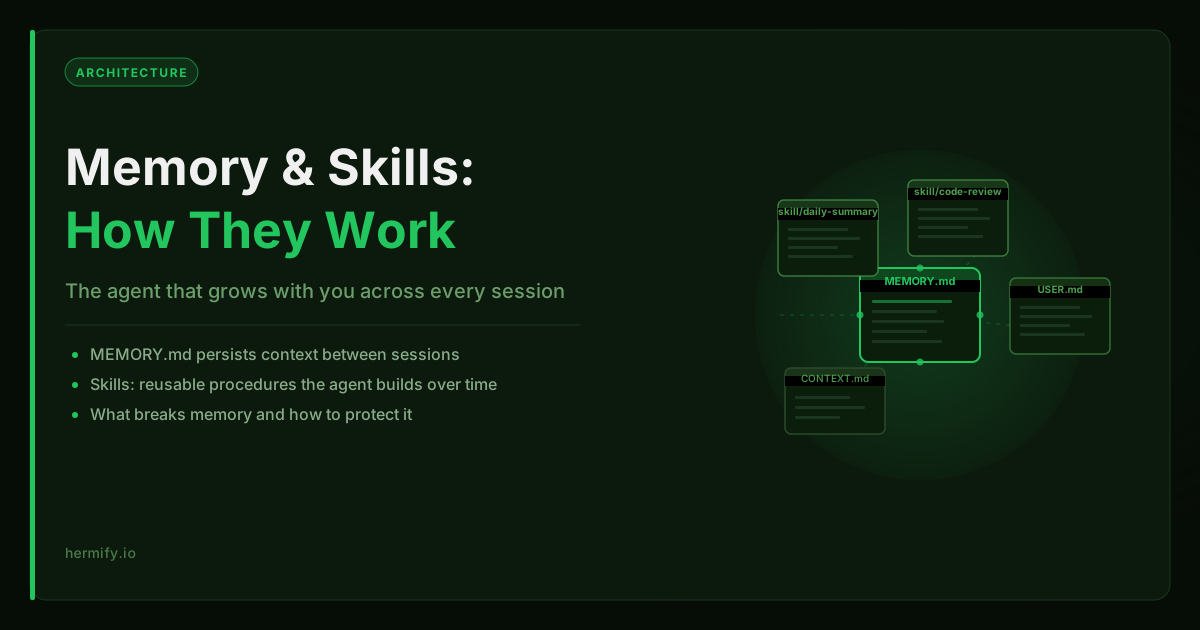
Short answer: Hermes Agent manages memory by writing to plain markdown files (MEMORY.md for global context, USER.md per user) inside the agent's data directory. The agent reads these at the start of every session and updates them automatically as conversations progress. Memory is inspectable, editable, and portable — no database or vector store required.
Why Memory and Skills Are the Core Differentiator
Most AI tools reset completely between sessions. You start fresh every time. Hermes Agent is built around a different model: the agent should accumulate knowledge and capabilities the longer you use it.
This is not just a feature description. It is the fundamental architecture difference between Hermes and a standard chat interface. The official Hermes documentation describes the project as "the agent that grows with you", and the memory and skills systems are the mechanism behind that claim.
Understanding how these systems work helps you use Hermes more effectively. It also explains why deployment decisions (how and where you run Hermes) matter more for this agent than for most others.
How Hermes Memory Works
Hermes stores persistent memory in a set of files inside the agent's data directory. The main file is MEMORY.md, a structured markdown file that the agent reads at the start of every session and updates as conversations progress.
This is not a database or a vector store. It is a plain text file that the agent can read and write like any other document. The simplicity is intentional: memory is inspectable, editable, and portable. You can open it in a text editor and read exactly what the agent knows.
What Gets Written to Memory
The agent decides what to write to MEMORY.md based on what it considers worth remembering. This typically includes:
- User preferences and working style notes
- Ongoing project summaries and context
- Information the user has explicitly asked the agent to remember
- Patterns the agent has observed over multiple sessions
- Decisions that should carry forward (preferred tools, preferred model, etc.)
You can also tell Hermes directly to remember something: "remember that I prefer Python over JavaScript" or "save a summary of what we did today." The agent writes this to MEMORY.md immediately.
User Profiles
In addition to MEMORY.md, Hermes maintains a USER.md file for each user who interacts with the agent. This is the per-user equivalent of the global memory file. It stores information specific to that individual, particularly useful when the agent serves multiple users through a shared Telegram deployment.
Context Files
Hermes also reads context files from your project directories. These are files you provide intentionally, like a CONTEXT.md in your working directory, that give the agent background information for a specific project or domain. The agent treats these as reference documents, not as modifiable memory.
This is the mechanism behind Hermes's ability to do sustained project work. You give it a context file explaining the project, and it carries that context into every conversation about that project without you repeating it.
The Skills System
Where memory stores information, skills store behavior. A Hermes skill is a reusable procedure that the agent can invoke by name.
What a Skill Looks Like
Skills are defined in markdown files with a structured format:
---
name: daily-summary
description: Compile a daily summary of recent conversations, tasks completed, and open items.
---

1. Read the last 24 hours of conversation context
2. Identify completed tasks and ongoing threads
3. Format as a structured summary
4. Send to the user
The agent reads this file and can invoke the skill when it is relevant or when you ask for it directly.
Auto-Generated Skills
One of the more distinctive aspects of Hermes is that the agent can generate its own skills. When Hermes notices it is performing the same multi-step procedure repeatedly, it can propose creating a skill that captures that procedure. The next time a similar request comes in, the agent can reuse the skill rather than reasoning through the same steps from scratch.
This is what "self-improving" means in practice. The agent is not retraining a model. It is building a library of reusable procedures based on your actual usage patterns.
Custom Skills
You can also write skills manually and add them to the skills directory. This is useful for recurring workflows you want the agent to handle reliably, things like report formatting, code review checklists, or integration with external APIs.
Hermify exposes a custom skills editor in the dashboard so you can create and edit skills without accessing the server filesystem directly. Changes take effect after a dashboard-triggered restart.
What Breaks Memory and Skills
This is the part most users learn the hard way.
Hard: memory and skills live in files on the filesystem. They are not synced to a cloud database. They are files in the agent's data directory. If the runtime is destroyed, the data directory is deleted, or the container is replaced without preserving the volume, all memory and skills are lost.
Hard: most cheap hosting approaches delete data on restart. If you run Hermes in a Docker container without a persistent volume, every restart starts from scratch. Your MEMORY.md is empty, your skills are gone, and the agent does not remember the context you spent weeks building up.
Fixable: process restarts without data deletion are safe. If the process restarts but the data directory is preserved, memory and skills survive. This is the expected behavior under normal operation.
Fixable: credentials changing does not affect memory. Swapping your API key or changing the Telegram token does not touch the memory files. The data directory is separate from the configuration.
How Hermify Handles Memory Persistence
When Hermify provisions a Hermes Agent runtime, it mounts a persistent Docker volume at the data directory. This means:
- Container restarts do not delete memory or skills
- Plan changes (e.g. moving from Starter to Pro) carry the data over
- The memory your agent builds over weeks is safe across Hermify operational events
This is a deliberate design choice. The whole point of a self-improving agent is that it gets better over time. A hosting setup that deletes memory on every restart undermines that completely.
The Hermify dashboard also gives you access to the custom skills editor, so you can view, create, and edit skills through the UI without needing to SSH into the server or use the CLI directly. This is how most Hermify users manage the skills layer after initial deployment.
Practical Usage Patterns
Once you understand the memory system, a few patterns become obvious:
Seed memory deliberately at the start. When you first deploy Hermes, spend a session telling it the things you want it to remember long-term: your name, your role, the tools you use, the projects you are working on. This bootstraps the memory file with a useful baseline instead of waiting for it to accumulate context passively.
Use context files for project work. Create a CONTEXT.md in each project you work on with Hermes. Describe the project, the tech stack, the key decisions, and the current status. The agent will read this automatically when you are working in that directory.
Review the memory file periodically. Since MEMORY.md is a plain text file, you can read it directly. If the agent has written something inaccurate or outdated, you can edit the file and the change takes effect on the next session. Think of it like a shared document between you and the agent.
Build skills for recurring workflows. If you find yourself asking Hermes to do the same thing repeatedly, it is a good candidate for a skill. Either let the agent auto-generate one (it will suggest this if it notices the pattern), or write one manually for more precise control.
The Deployment Implication
If memory and skills are the core value of Hermes, then the deployment question is really a data persistence question. The agent is only as valuable as its accumulated context and skills library.
This is why the hosting decision matters more for Hermes than for a stateless LLM API call. You are not just running a process, you are maintaining a growing knowledge base that lives on the filesystem. Any deployment that does not treat that data seriously will lose what makes Hermes different from a standard chat interface.
If you want to see Hermify's approach to this in the context of a managed deployment, the deploy Hermes Agent page covers how provisioning, data persistence, and runtime management work together.
Run Your Own Hermes Agent
Bring your API key, connect Telegram, and get a self-improving AI agent live in 60 seconds.
Get Started