Hermes Agent vs Aider, Cursor, and Claude: Which Tool for Which Job
A clear comparison of Hermes Agent against Aider, Cursor, and Claude.ai, what each tool does well, where it falls short, and how to decide which one belongs in your workflow.
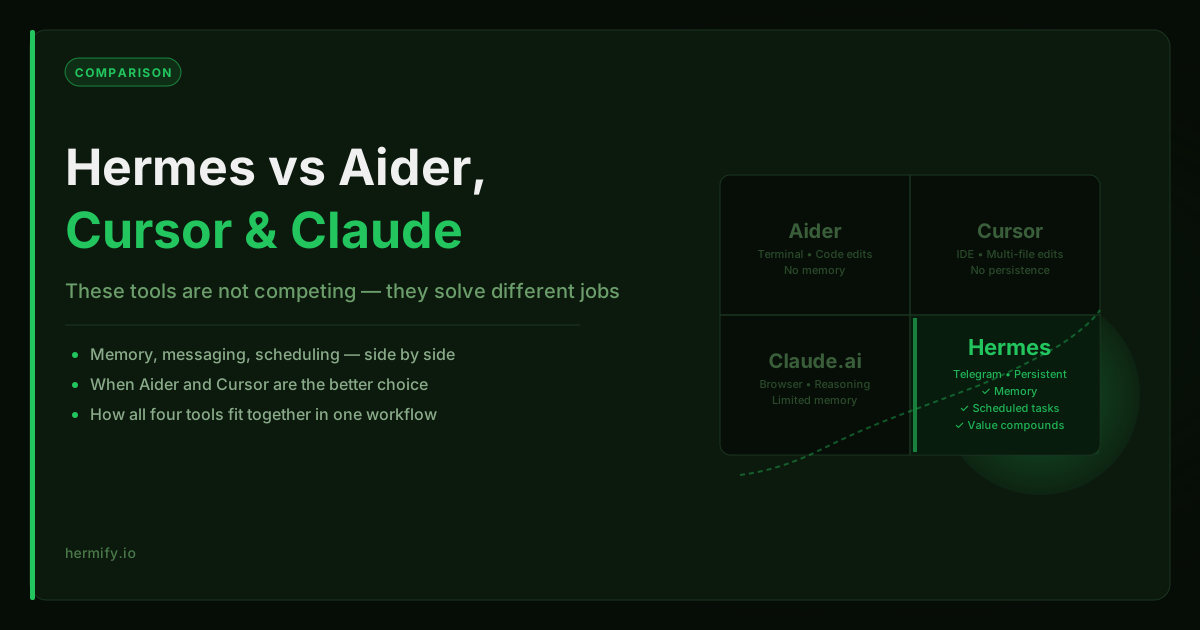
These Tools Are Not Competing for the Same Job
The question "should I use Hermes or Cursor?" misframes the choice. These tools are designed for different jobs. Picking the wrong one is not about which is better overall, it is about which fits the task you are actually trying to do.
This guide breaks down each tool honestly so you can make a clear decision.
Aider: Single-Session Code Patches
What Aider does: Aider is a terminal-based coding assistant that edits your local files in response to natural-language instructions. You run it inside a git repository, describe the change you want, and it makes the edit.
Where Aider wins:
- Precise, targeted code changes in an existing codebase
- Works entirely from the terminal, no IDE required
- Strong git integration, commits changes automatically with clear commit messages
- Supports multiple models (Claude, GPT-4, Gemini, local models)
- Very fast iteration loop for single-file or small multi-file edits
Where Aider falls short:
- Each session starts fresh. Aider does not carry memory between sessions.
- It is an editor, not an agent. It responds to your instructions but does not initiate, schedule, or operate autonomously.
- No messaging integrations. You interact with it only in the terminal.
- No skills or accumulated context beyond what is in the current repository.
The right use case: A specific coding task you can describe in a single session. "Add input validation to this function." "Refactor this module to use async/await." "Write tests for this class."
Cursor: IDE-Integrated Coding Workflow
What Cursor does: Cursor is a VS Code fork with deep AI integration. It gives you an AI-aware editor where the model has context about your entire codebase, can make multi-file edits, can explain code, and can handle complex refactors through a chat interface.
Where Cursor wins:
- The best existing tool for coding work that benefits from full codebase context
- Multi-file edits with a high success rate on complex refactors
- Integrated diff review, you see exactly what changes before accepting
- Code completion, inline explanations, and agent mode in a single interface
- Huge user base with strong community patterns for effective use
Where Cursor falls short:
- Resets completely between sessions. No memory of previous conversations.
- IDE-bound. You work with it in the editor; it does not extend to Telegram or other interfaces.
- Not built for autonomous or scheduled tasks. You drive the interaction.
- Focuses almost entirely on coding. General-purpose workflows are awkward.
- Does not persist skills or learned preferences.
The right use case: Active coding work where you want AI as a coding partner in your IDE. Feature development, debugging, code review, and refactoring where you are at the keyboard.
Claude.ai: Conversational Reasoning in a Browser Tab
What Claude.ai does: Claude.ai is Anthropic's chat interface to the Claude family of models. It is the most capable reasoning tool in this comparison, excellent for writing, analysis, synthesis, strategic thinking, and complex multi-step problems.
Where Claude.ai wins:
- Best raw reasoning and writing quality among consumer AI tools
- Projects feature lets you share context across conversations (limited persistence)
- Very long context windows, useful for analyzing large documents
- Strong at research synthesis, drafting, and multi-perspective analysis
- Artifacts for code and structured outputs
Where Claude.ai falls short:
- Resets between sessions unless you use Projects, and Projects have limits
- Browser-only. You interact with it through the web interface.
- No automation or scheduled tasks. Every interaction is manual.
- No tool use beyond what Anthropic builds in.
- No messaging integrations.
The right use case: Complex reasoning tasks, writing assistance, document analysis, and anything that benefits from Claude's strong instruction-following and nuanced output. The tool you open when the task requires genuine thinking.
Hermes Agent: Persistent, Multi-Interface, Self-Improving Runtime
What Hermes Agent does: Hermes is an agent runtime built around persistence, memory, tools, and messaging integrations. It is less of a tool you use and more of an assistant that stays with you, across sessions, across interfaces, and across time.
Where Hermes wins:
- Persistent memory across every session. The agent remembers what you have worked on, what you prefer, and what context matters. This compounds over time.
- Messaging integrations. Hermes runs as a Telegram bot (and supports other platforms), which means you interact with it where you already are, not in a browser tab or IDE.
- Scheduled automations. Hermes supports cron-style scheduling and can run recurring tasks while you are offline.
- Custom skills. The agent can build and invoke reusable procedures, and it generates new skills automatically when it notices repeating patterns.
- Subagents and parallel work. Complex tasks can be delegated to subagents that run in parallel.
- Model-agnostic. You choose the model; Hermes handles the interface, memory, and tooling regardless.
Where Hermes falls short:
- Not an IDE coding assistant. It can do coding work, but it does not integrate with your editor the way Cursor does.
- More setup involved. Getting a persistent, reliable Hermes deployment requires more configuration than opening Claude.ai.
- Less polished for one-shot tasks. If you want a quick answer, a chat interface is faster.
- The value is long-term. A fresh Hermes install is less impressive than one that has been running for three months.
The right use case: A long-running assistant that you want to stay available across sessions, remember your context, operate from Telegram, run scheduled tasks, and improve over time. Operations work, research over multiple sessions, recurring workflows, and anything that benefits from continuity.
Side-by-Side Comparison
| Dimension | Aider | Cursor | Claude.ai | Hermes Agent |
|---|---|---|---|---|
| Memory across sessions | None | None | Limited (Projects) | Full persistent memory |
| Coding focus | High | Very high | Medium | Medium |
| Messaging integrations | None | None | None | Telegram, Discord, Slack, others |
| Scheduled tasks | None | None | None | Yes |
| Self-improving skills | None | None | None | Yes |
| Setup complexity | Low | Low | None | Medium |
| Best interface | Terminal | IDE | Browser | Telegram / terminal |
| Value over time | Flat | Flat | Flat | Compounds |
How They Fit Together
These tools are more complementary than competitive. A realistic developer workflow might use all four:
- Cursor for active coding sessions in the IDE
- Aider for targeted terminal-based edits in repos you do not have open in Cursor
- Claude.ai for strategic thinking, writing, and complex analysis
- Hermes as the persistent layer, running on Telegram, remembering your projects, handling recurring tasks, and acting as a long-term assistant across all the other tools
The choice is not usually "Hermes or Claude." The choice is whether you want a persistent agent runtime that operates between your other tools, in the messaging interface you already use, without resetting every time.
If You Want Hermes Running Persistently
The main barrier to using Hermes this way is deployment. Running a persistent Hermes instance requires keeping a server running with the right configuration, Telegram wiring, memory volumes, and uptime management.
Hermify removes that barrier. It handles the hosting layer so Hermes stays online, remembers your sessions, and is reachable from Telegram without infrastructure work on your end. This is what makes the "long-term assistant" model practical rather than a weekend project that eventually stops running.
If you want to see how the managed deployment fits into this picture, the deploy Hermes Agent page covers the full setup flow and plan options.
Run Your Own Hermes Agent
Bring your API key, connect Telegram, and get a self-improving AI agent live in 60 seconds.
Get Started